Sales

Smart Deal Tracking

Smart Deal Pipeline Tools

Track and close every deal with clearer stages, shared data, and real-time forecasting insight.

Helping 1000+ Businesses Grow Smarter

Helping 1000+ Businesses Grow Smarter

The Difference

Close Deals With Ease

Track deal stages, values, and next steps in one place to close deals faster.

Deal Overview

See each deal's value, stage and owner in one view.

Quicker Deal Progression

Stage alerts nudge reps to move every deal forward.

Revenue Forecast View

Know which deals should close and the revenue they bring.

Team Deal Ownership

Assign owners and share updates so no deal is left stuck.
How it Works

How The Feature Works

Follow the process from start to finish to see how each step works within the feature.

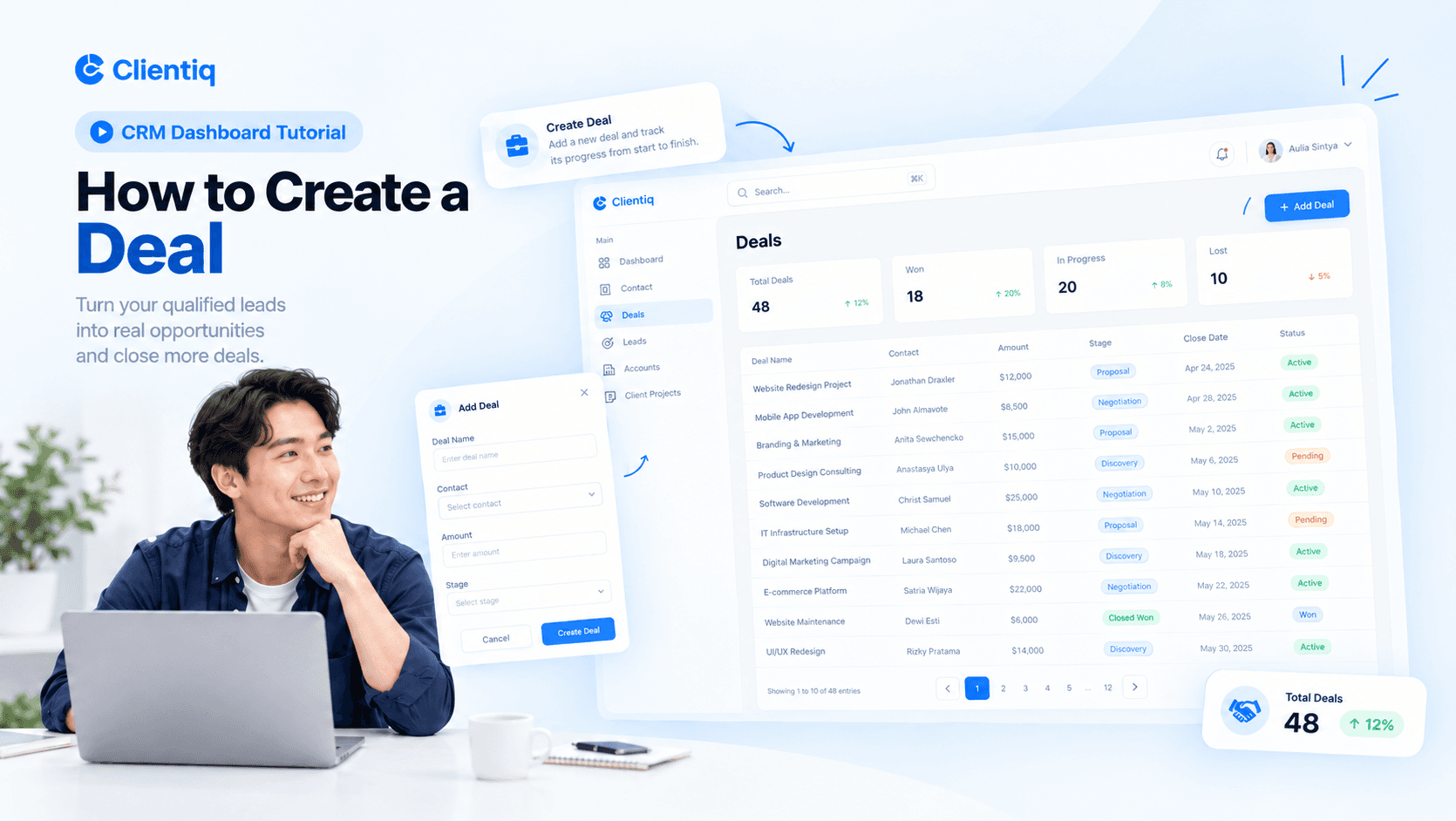
Create a Deal

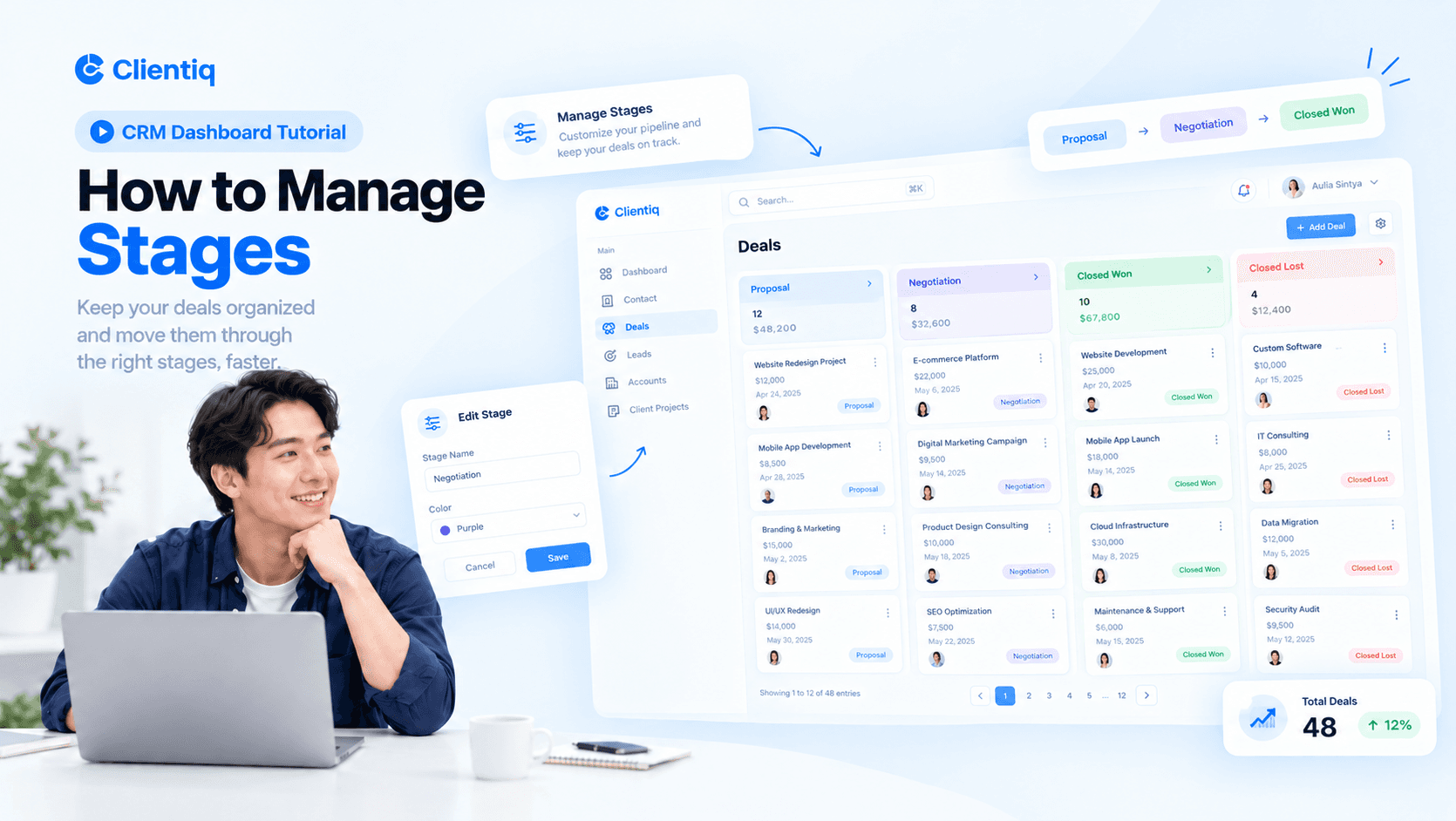
Manage Stages

Track Pipeline

Win Deals

Create a Deal

Follow each step to see how every deal moves through your pipeline and gets won.

01

Add deal name and contract value

02

Link deals to contacts or companies

03

Assign deals to the right team member

04

Set priority with tags and labels

How it Works

How The Feature Works

Follow the process from start to finish to see how each step works within the feature.

Create a Deal

Follow each step to see how every deal moves through your pipeline and gets won.

01

Add deal name and contract value

02

Link deals to contacts or companies

03

Assign deals to the right team member

04

Set priority with tags and labels

Manage Stages

Follow each step to see how every deal moves through your pipeline and gets won.

01

Drag and drop deals between stages

02

Customize stages for each pipeline

03

Set expected value and close date

04

Switch between board and list view

Track Pipeline

Follow each step to see how every deal moves through your pipeline and gets won.

01

View total pipeline value by stage

02

Track win rate and deal progress

03

Log calls, emails, and meetings

04

Get alerts when a deal gets stuck

Win Deals

Follow each step to see how every deal moves through your pipeline and gets won.

01

Set reminders for follow-up tasks

02

Mark deals as won, lost, or paused

03

Record why deals are won or lost

04

Review sales reports and forecasts

How it Works

How The Feature Works

Follow the process from start to finish to see how each step works within the feature.

Create a Deal

Manage Stages

Track Pipeline

Win Deals

Create a Deal

Follow each step to see how every deal moves through your pipeline and gets won.

01

Add deal name and contract value

02

Link deals to contacts or companies

03

Assign deals to the right team member

04

Set priority with tags and labels

FAQs

Everything You Need to Know

Find answers to common questions about our CRM platform and features.

What is Deals in CRM?

How do I create a deal?

Can I move deals between stages?

Can I assign deals to my team?

Can I track deal value and forecasts?

Stay Updated With Clientiq.

Create a free website with Framer, the website builder loved by startups, designers and agencies.