Deliver

Project Progress Overview

Client Project Control

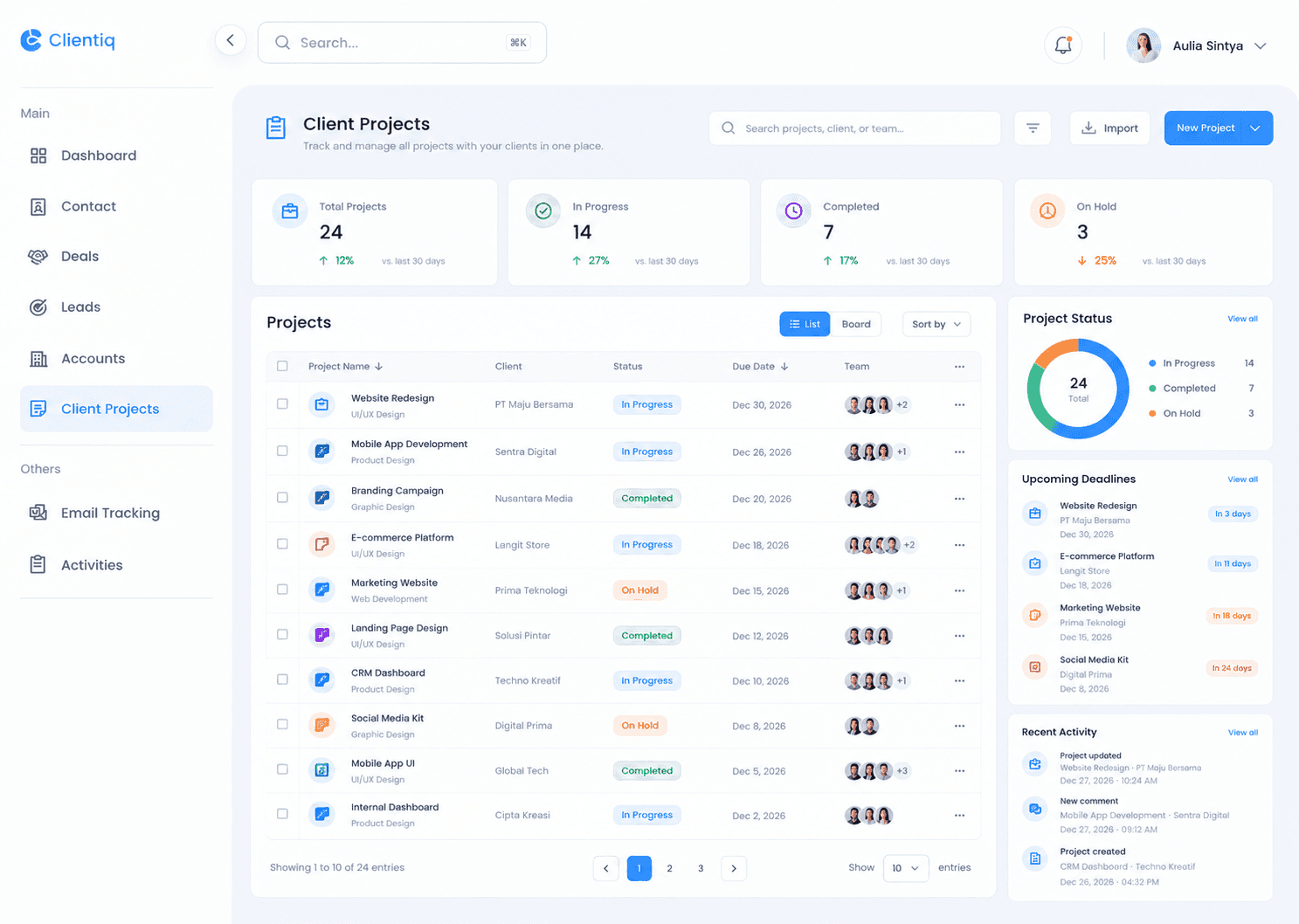
Monitor every client project in your CRM dashboard with live status and shared updates.
Helping 1000+ Businesses Grow Smarter

Helping 1000+ Businesses Grow Smarter

The Difference

Deliver Projects Fast

Manage tasks, timelines and client updates in one place so each project stays on time.

Project Board

See each project's status, owner and deadline here.

Task & Milestone Tracker

Break work into steps and never miss any deadlines.

Client Status Updates

Share progress with clients so they never have to ask us.

Project Team Access

Assign owners and share files so no project is ever late.

How it Works

How The Feature Works

Follow the process from start to finish to see how each step works within the feature.

Start Project

Plan Tasks

Track Progress

Deliver

Start Project

Follow each step from start to finish to see how each project is managed in CRM.

01

Add project name and client details

02

Create projects from won deals

03

Assign projects to the right manager

04

Organize with tags and categories

How it Works

How The Feature Works

Follow the process from start to finish to see how each step works within the feature.

Start Project

Follow each step from start to finish to see how each project is managed in CRM.

01

Add project name and client details

02

Create projects from won deals

03

Assign projects to the right manager

04

Organize with tags and categories

Plan Tasks

Follow each step to see how every deal moves through your pipeline and gets won.

01

Create tasks and set due dates

02

Assign tasks to team members

03

Set milestones and project phases

04

Switch between board and list view

Track Progress

Follow each step from start to finish to see how each project is managed in CRM.

01

View project progress by percent

02

Track hours and project budget

03

Log updates, notes, and meetings

04

Get alerts for overdue tasks

Deliver

Follow each step from start to finish to see how each project is managed in CRM.

01

Share files and updates with clients

02

Collect approvals and feedback

03

Mark projects as complete or on hold

04

Review project reports and profit

How it Works

How The Feature Works

Follow the process from start to finish to see how each step works within the feature.

Start Project

Plan Tasks

Track Progress

Deliver

Start Project

Follow each step from start to finish to see how each project is managed in CRM.

01

Add project name and client details

02

Create projects from won deals

03

Assign projects to the right manager

04

Organize with tags and categories

How it Works

How The Feature Works

Follow the process from start to finish to see how each step works within the feature.

What is Client Projects in CRM?

How do I create a client project?

Can I link a project to a deal or account?

Can I assign tasks to my team?

Can I track project status and progress?

Stay Updated With Clientiq.

Create a free website with Framer, the website builder loved by startups, designers and agencies.